Free T-Shirt Mockup Generator
Upload your artwork, place it on a photograph of a t-shirt, hoodie, cap, framed poster, shopping bag, business card or roll-up banner, and download it for your product listing. Twenty mockups, no photoshoot and no sign-up.
Generate a mockup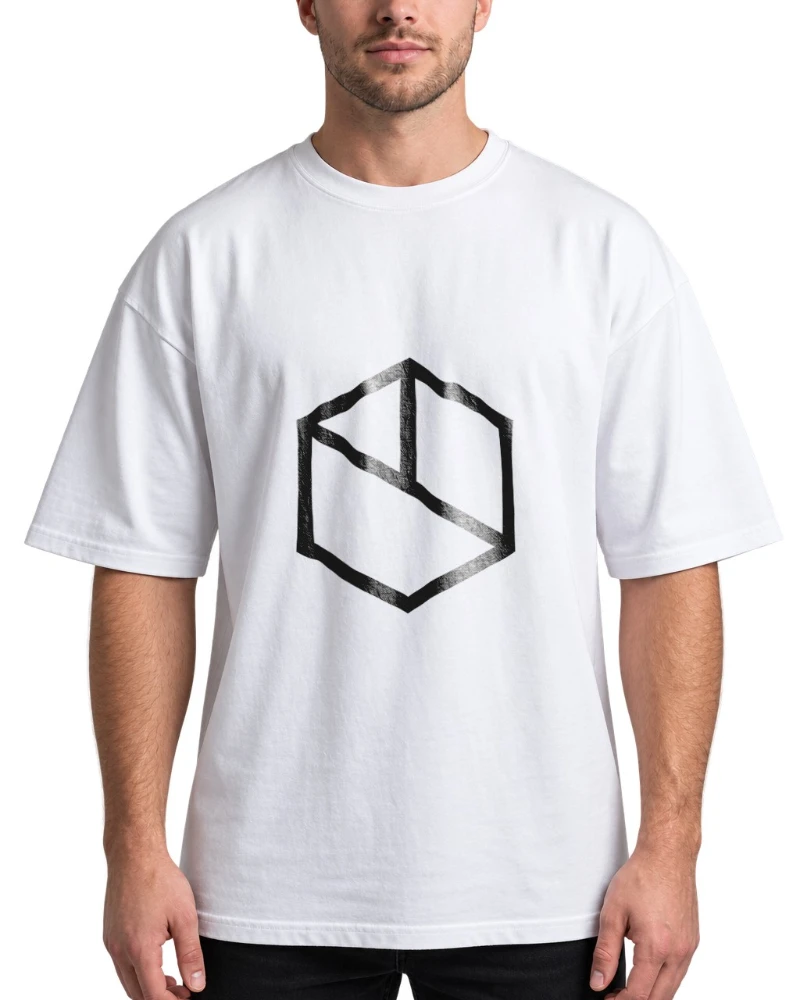
Preparing artwork for print-on-demand
The single most common mistake in print-on-demand listings is uploading artwork at screen resolution. A design that looks sharp in a browser at 800 pixels wide will print visibly soft across a 12-inch chest panel.
Work at print resolution from the start rather than upscaling later. Upscaling adds pixels but no detail, and most print partners will either reject the file or print it soft.
- 300 DPI at the final printed size, not at screen size
- A transparent PNG background for anything not printed on a rectangle
- Artwork trimmed to its own bounds, with no surrounding whitespace
- Text converted to outlines if your print partner requests it
- A design that reads at arm's length, not only at full zoom
- Enough contrast against every garment colour you intend to sell
Placement conventions
A standard adult front chest print is roughly 11 to 12 inches wide, positioned two to three inches below the collar. Left-chest prints run about 3 to 4 inches wide. These are conventions rather than rules, but a print that deviates far from them tends to read as a mistake rather than as a choice.
Drag the design directly on the preview to reposition it and use the size control to scale. What you see is what exports.
Why mockups sell better than flat artwork
A flat PNG of a design asks the buyer to imagine the product. A mockup shows it. Marketplace data consistently shows listings with product-context imagery converting better than those with artwork alone, and the effect is strongest for apparel, where fit and placement are what the buyer is uncertain about.
Showing the same design across two or three garment colours also answers the most common pre-purchase question without the buyer having to ask it.
Twenty photo mockups
Every mockup is a photograph, and your design follows it: it bends with the folds of the fabric, takes the shadows of the scene and sits under its highlights, so it reads as printed rather than pasted on.
- T-shirts: on a model from the front and the back, and on a hanger
- Hoodies: on a model from the front and the back, and on a hanger
- Hats: a baseball cap and a bucket hat, each on a model
- Sets: a t-shirt with a cap, and a hoodie with a bucket hat
- Posters: four framed prints in different rooms
- Business cards, paper shopping bags and roll-up banners: two scenes each
The clothing, hats, bags and cards can be recoloured to any shade, and the shading of the photograph stays on the new colour. More than one design can sit on the same product, for a front print and a sleeve or a logo and a tagline.
Common questions
What image formats can I upload?
PNG, JPG and WebP. The file type is validated in your browser before anything is drawn. PNG with a transparent background usually gives the best result.
Is my design uploaded to a server?
No. The image is read into a local canvas in your browser and never transmitted. That matters when the artwork is unreleased.
What resolution is the exported mockup?
Full size, half or quarter, as a PNG or a JPG. Full size is the photograph's own resolution, between about 1,400 and 3,100 pixels on its long side depending on the mockup, and each option shows its exact pixels before you download.
Can I put the same design on more than one product?
Yes. Open the next mockup from the catalog and upload the same file again. Within one mockup, Add Mockup keeps each version you make, such as each colour, under My Mockups so you can download them one after another.
Can I sell products made with these mockups?
Yes. There is no watermark and no restriction on the exported file.
Where do the photographs come from?
Each scene was created for TemplateBox with an AI image generator from a written description of a generic product shot. None is a stock photo or another site's mockup, and no real brand appears in them.
Generate a mockup
Free, no account, nothing uploaded. Your work saves on this device and exports with no watermark.
Generate a mockup